Launching spring 2027
Quoting, job and invoice software for contractors in every trade

Quote it right.
Get paid.
Win the next one.

Linteliq carries the admin so you can get on with the job. Every enquiry, quote, job and invoice in one simple app, with the real profit on every job, customers who pay by card or bank from a link, and trades who get their part of each job by text, with nothing to download.

Free to register, no commitment. The first 100 firms to subscribe keep their founding price until 2029. Every firm starts with a 30-day free trial, no card needed.

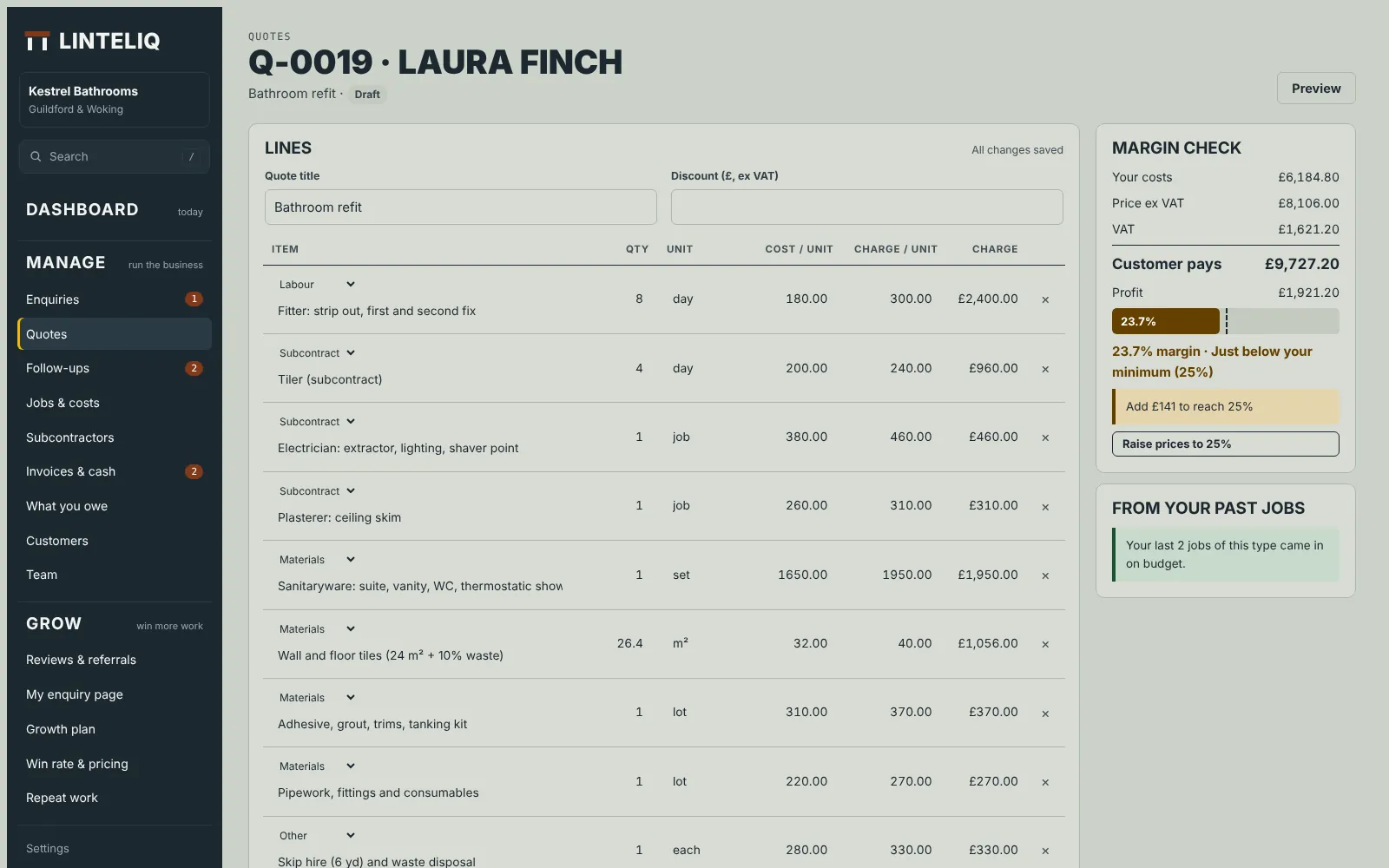
Quote Q-1043 · Patio & lawnExample
Landscapers, 2 for 6 days at £240£2,880
Mini digger & grab lorry (hire)£720
Sandstone paving, sub-base & turf£3,960
Plants, topsoil & bark£640
Price (before tax)£8,200
Dashed line: your 25% minimumAdd £174 to hit it
5h 20ma week on quoting, invoicing and chasing paymentsThe NOW Report 2026, Powered Now & Installer, n=140
£5,901average owed to a tradesperson in unpaid invoicesThe NOW Report 2026, n=140
1 in 3spend 20+ minutes writing a single quote from scratchHeyBRB Admin Drain Report, Mar 2026, n=167
1 in 5tradespeople use job management software. The rest run on WhatsApp and paperToolTime survey, Sep 2024, n=1,000
Quoting, jobs and invoicing in one app

Run today's jobs. Fill next month's diary.

Most job software stops at admin. Linteliq joins the two halves: what you learn on every job feeds straight into how you price and win the next one.

Manage

Save time, protect profit, get paid sooner
Enquiries in one listPhone, WhatsApp, website and trade-directory leads, each with a next step and a reminder.
Quotes in minutes, margin checkedStart from your own job types or copy a past job, see your profit on every line, and get warned below your minimum.
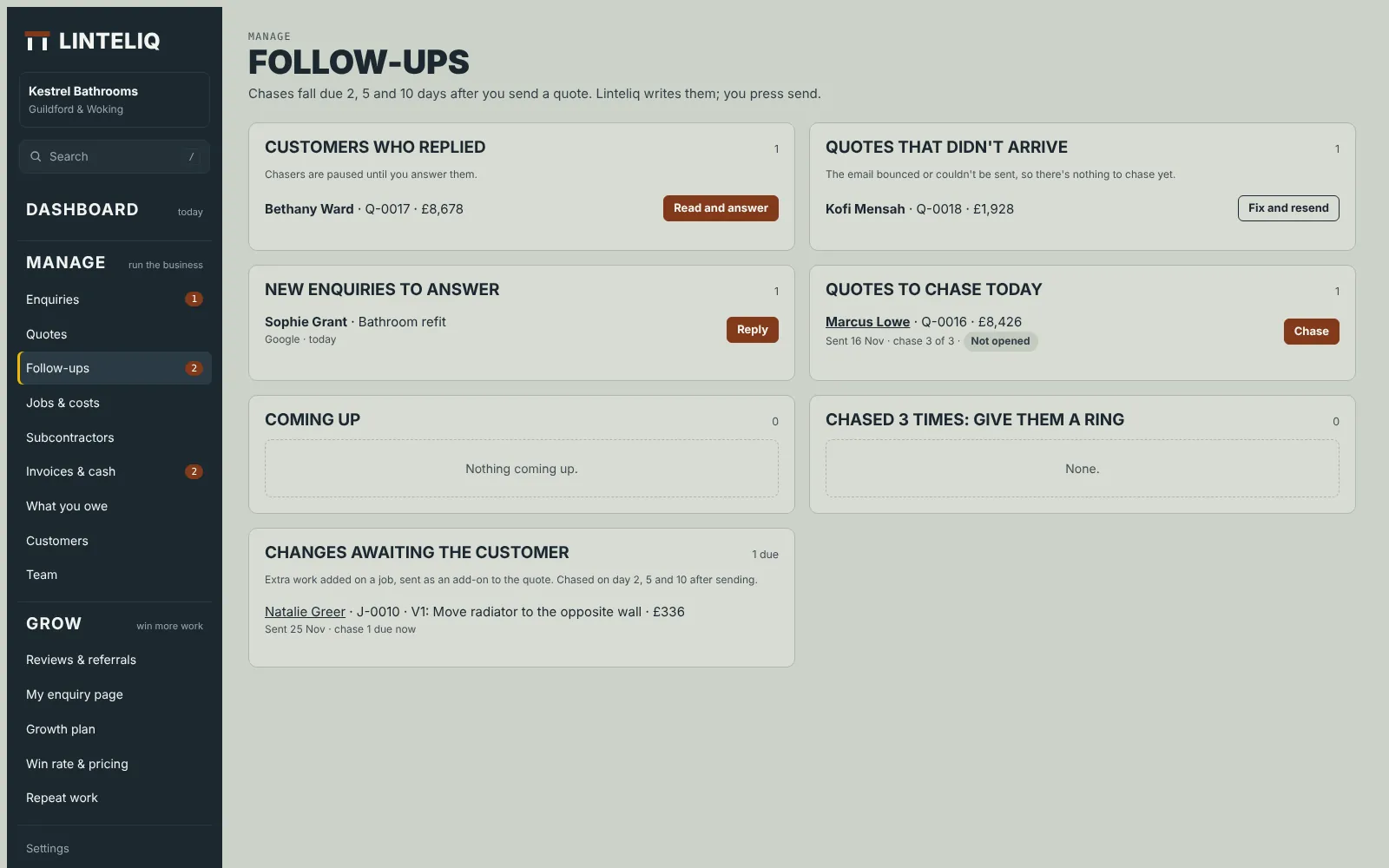
Every quote followed upA chase list at day 2, 5 and 10, with the messages written for you. You send them from your own WhatsApp or email.
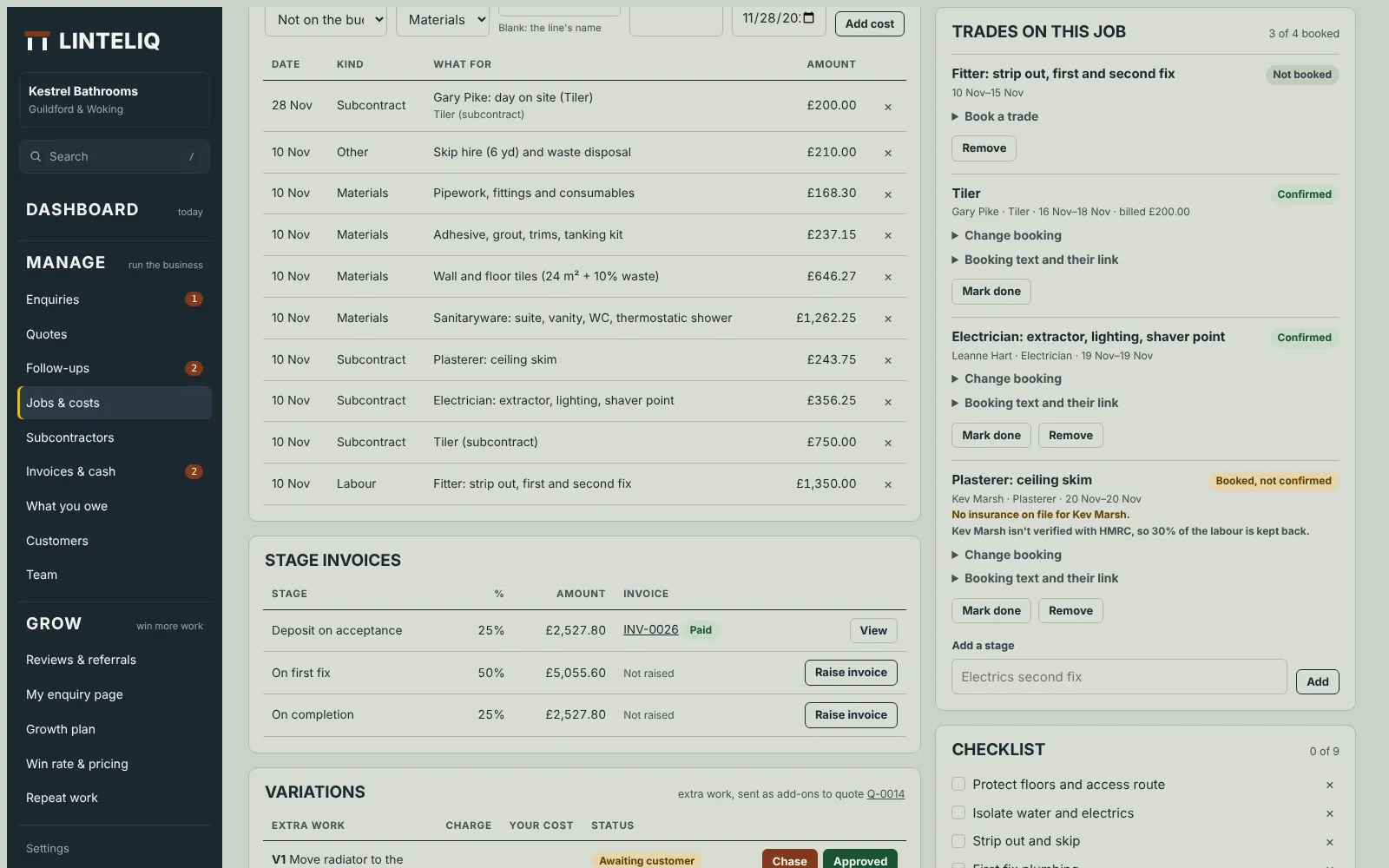
Trades booked in stagesBook each trade for its days. They get their part of the job by text to confirm, log days, add photos and send their invoice.
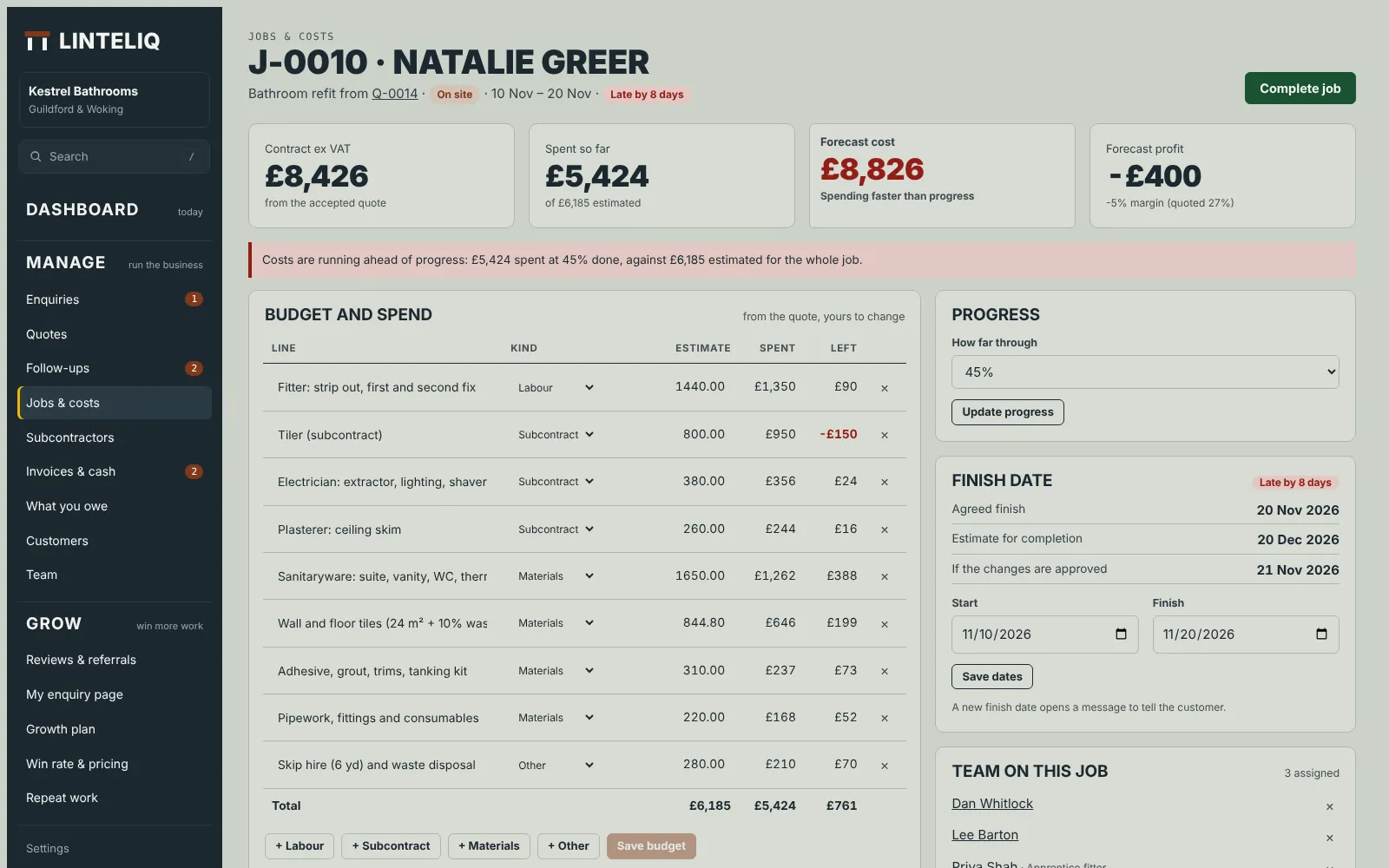
Jobs and variationsBudgets, checklists and finish dates, with extra work approved by the customer on their quote before you do it.
Costs that file themselvesSnap a receipt, forward a supplier invoice or let a trade log a day, and it lands on the job. Estimate vs actual stays up to date.
Paid from a linkDeposits and stage invoices paid by card or bank from the link, with automatic reminders at 3, 7 and 14 days late.
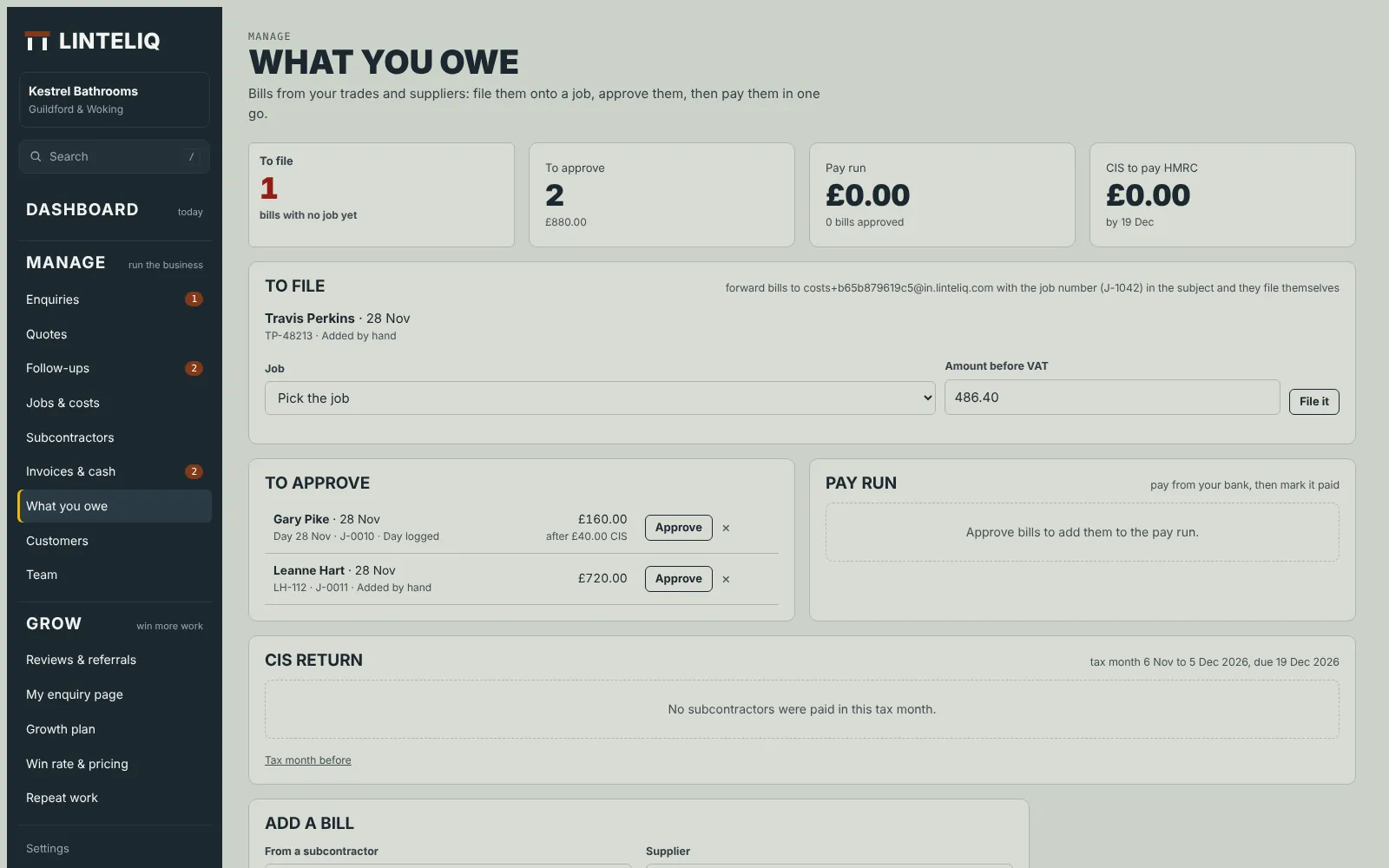
What you owe, worked outBills from your trades and suppliers, and a Friday pay run with any subcontractor tax deductions worked out for you.

Grow

Win more of the right work
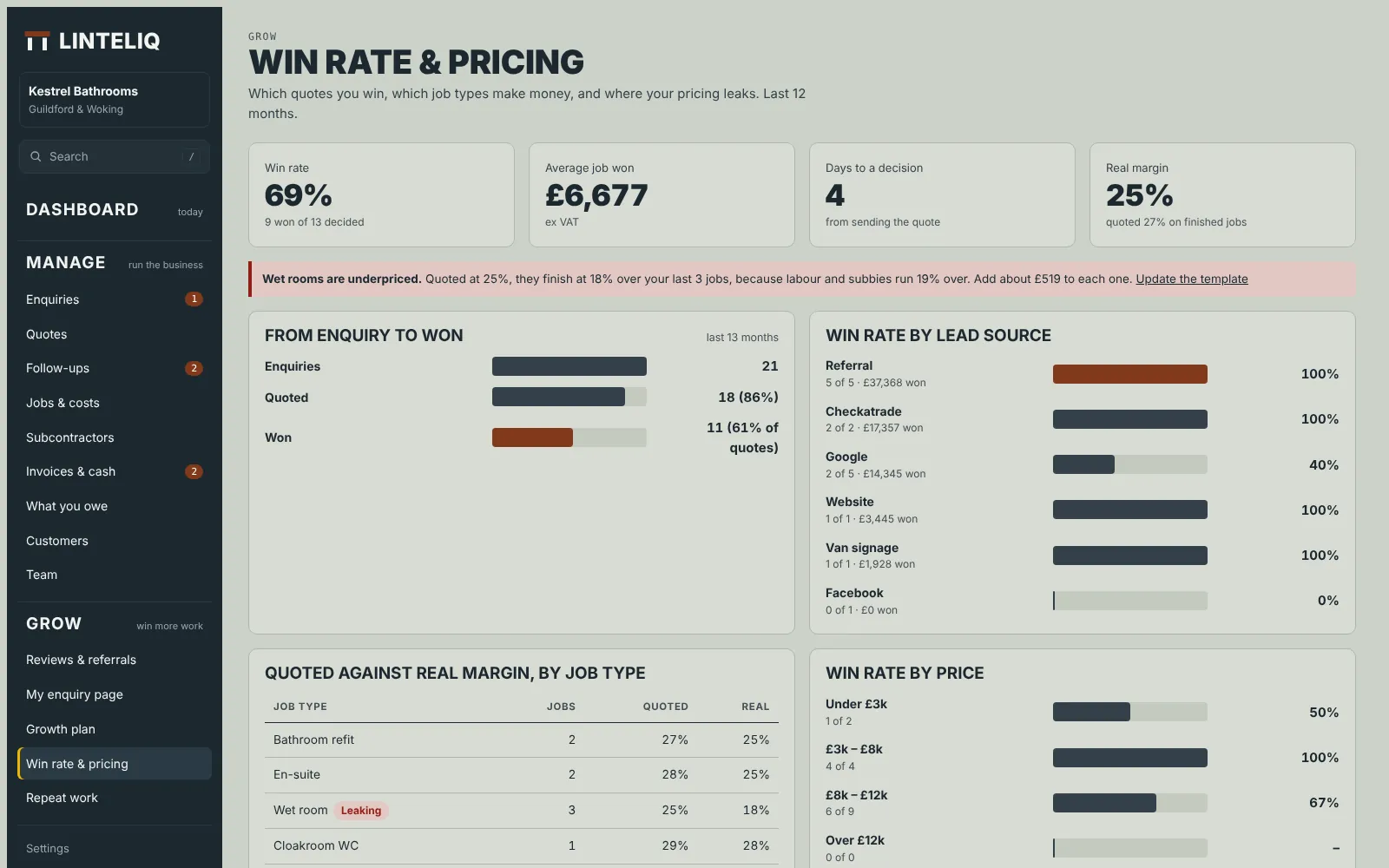
Know your win rateWhich lead sources, job types and price bands actually turn into work.
Price from your historyFlags job types that keep running over, and shows how much to add next time.
Reviews and referralsOne tap after sign-off asks for a Google review and a referral.
Repeat workReminds you about past customers due a service, a check-up or their next job.
Monthly growth planA target, a forecast from your pipeline and five things to do this week.
Your enquiry pageA page with an enquiry form and photo uploads, and a tracking link for each advert, so you know what each one brings in.
For firms that bring in trades

Your trades never download an app

The plumber, electrician, plasterer or tiler you bring in gets their part of each job on a text link. No login, no app, and they never count towards your plan.

  1. BookBook each trade for their days, straight from the quote. Clashes and lapsed insurance are flagged.
  2. ConfirmThey confirm on the link and see the address, notes and photos. Never your prices.
  3. LogThey log days and add photos as they go, and the job's costs update by themselves.
  4. Get paidThey send their invoice from the link. You approve it and it goes in Friday's pay run.
Inside the app

See it before you join

Screens from the live demo, with example data for Kestrel Bathrooms, a made-up firm. Every trade gets the same screens, with its own job types. Pick a screen to look closer.

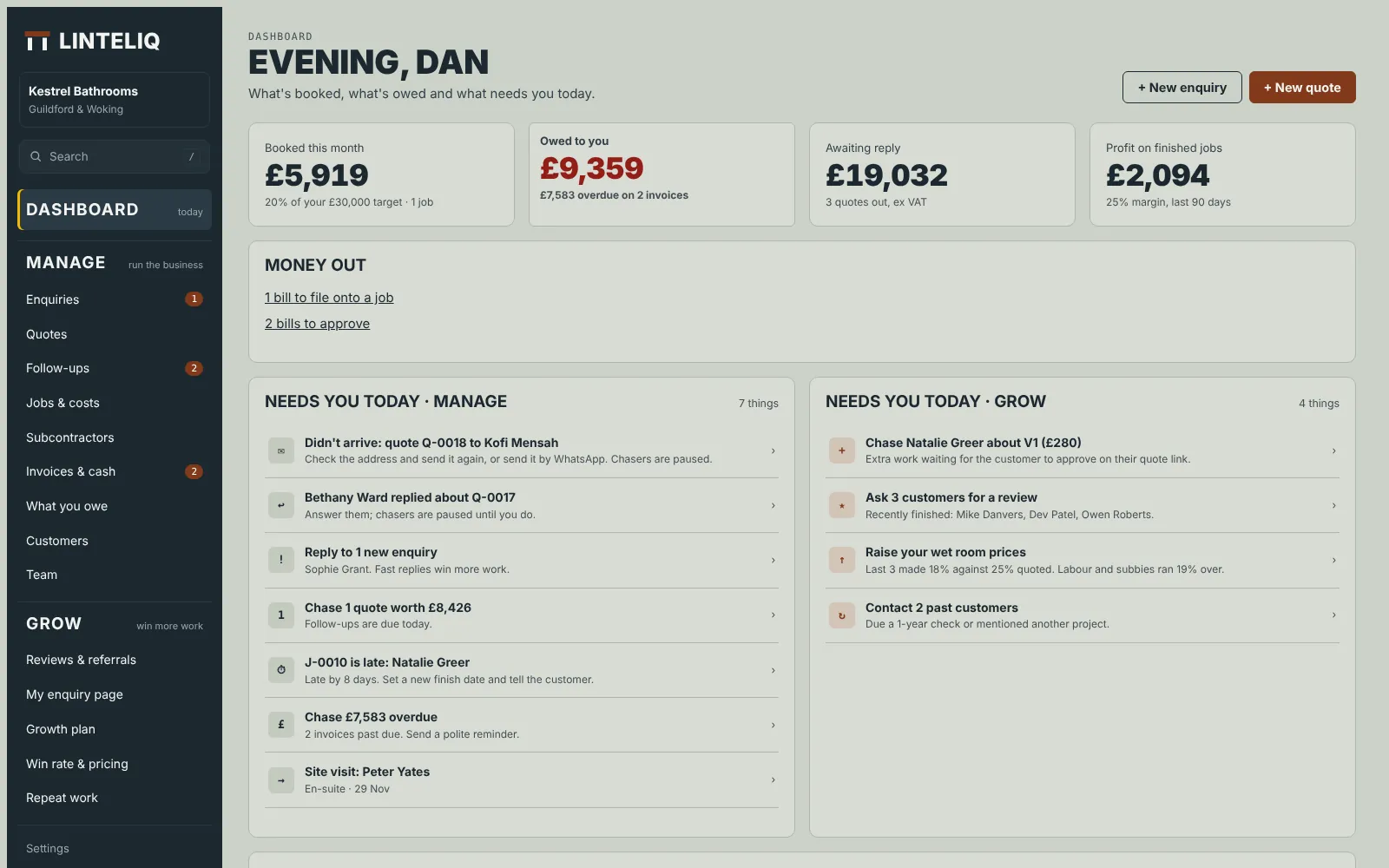
The Linteliq dashboard: booked this month, owed to you, quotes awaiting reply and profit on finished jobs, the money out panel, and what needs doing today.
Cash owed, quotes waiting, live jobs and money out, with today's to-dos split into Manage and Grow.
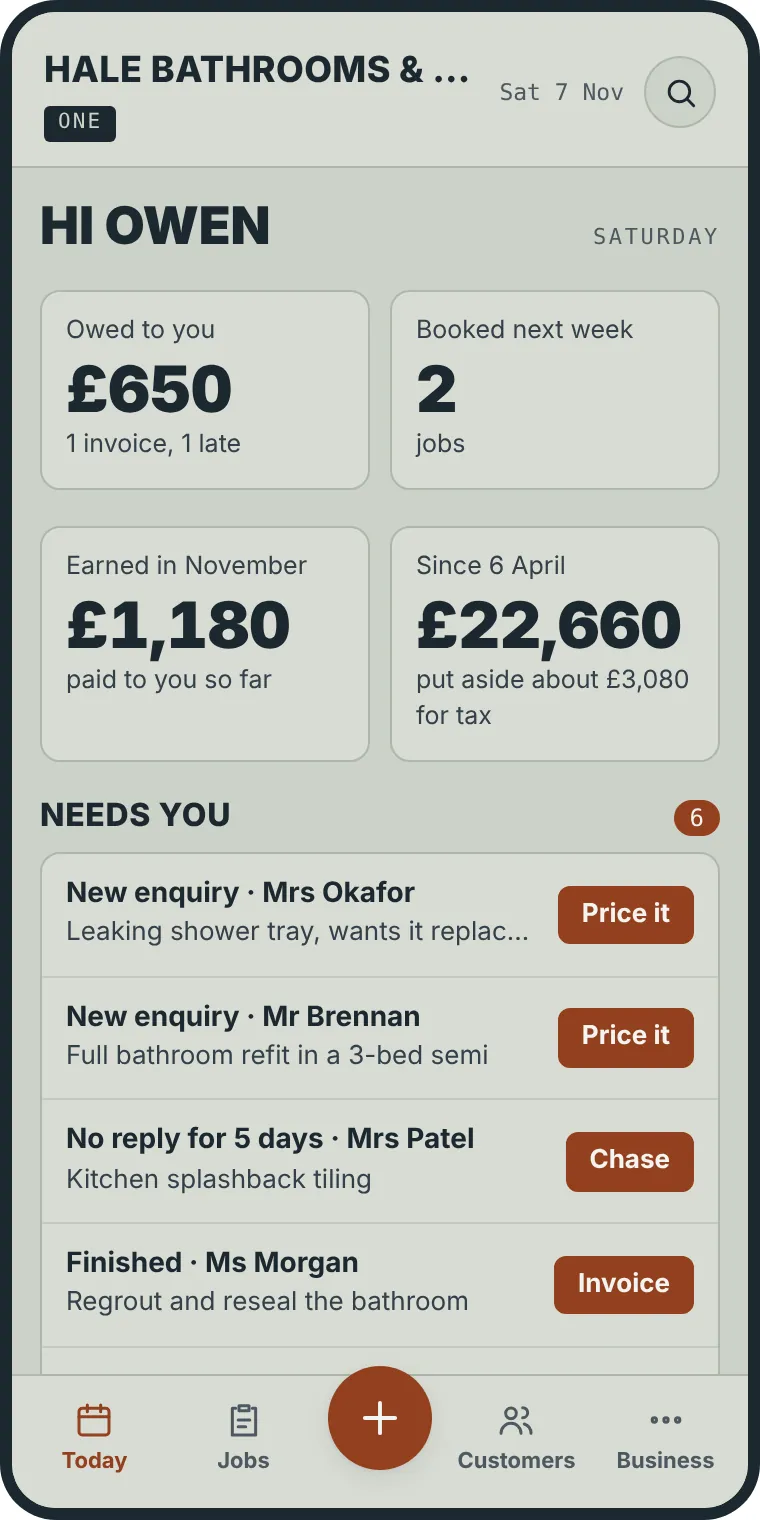
Linteliq One on a phone: Today for Hale Bathrooms & Tiling, with the money owed, 2 jobs booked next week, what was earned in November and since 6 April with what to put aside for tax, and the jobs that need the owner, each with one button.
Linteliq One, with example data. Tap Price it, Chase or Remind to see how a job moves. Nothing is sent.
Get the app

On your phone. Nothing to download.

Linteliq runs in your phone's browser and fits the screen, so there's nothing to install or update. Add it to your home screen and it opens full screen with its own icon, like any other app.

Scan with your phone's camera Open it on this phone

It opens the phone demo, with example data. Or type linteliq.com/one into your phone's browser.

It opens the phone demo, with example data. Then add it to your home screen.

Open the phone demo

Running a team? See the full platform demo, with the office view, Manage and Grow.

  1. iPhoneOpen it in Safari, tap Share, then Add to Home Screen.
  2. AndroidOpen it in Chrome, tap the ⋮ menu, then Add to Home screen or Install app.

Apps for the App Store and Google Play are planned after launch.

How it works

Every finished job makes the next quote better

  1. CaptureLog the enquiry, job type and where it came from. Acknowledge it in one tap.
  2. QuoteBuild it from a template and check the margin. Send it, and Linteliq queues the follow-ups.
  3. DeliverTurn it into a job and book each trade. Costs file themselves, and customers pay from the link.
  4. LearnCompare estimate with actual, so underpriced work shows up before your next quote.
  5. Next jobAsk for a review and a referral, and remind past customers when they're due.
Launch prices · GBP before tax · monthly, cancel any time

One if you run it yourself. Manage for your team. Grow when you want more.

These are the prices when Linteliq opens. Every firm starts with a 30-day free trial on real jobs, with no card and every login your size includes. Try One, or Manage with Grow switched on. Then choose One if you run the business yourself, or Manage for the size of your team, and add Grow to Manage if it has earned its place. One flat price per firm, with no per-user fees, no setup fee and no charge for the AI helpers. Subcontractors and helpers on job links are always free.

Your firm pays in the currency of the country it signs up from.
Founding priceRegister your interest now. If you're one of the first 100 firms to subscribe, you keep these prices until 2029.

One

£15 /month
You run it, 1 login
  • Every job on one card, enquiry to paid
  • Price it fast: copy a past job, or by the m² or day
  • Helpers get each job by text, no login
  • Paid by card or bank from the link
  • Receipts on each job, and what you really kept
  • A review request in one tap
Grow comes with Manage. See One on a phone

Crew

£35 /month
Manage · up to 3 people, flat
  • All of Manage, for the whole team
  • The office view, and the phone screens on site
  • Quote follow-ups written for you
  • Subcontractors on job links, free
  • Stage payments and variations
  • Xero, QuickBooks and FreeAgent sync After launch
Add Grow: +£19 a month

Firm

£69 /month
Manage · up to 10 people, flat
  • All of Manage, for up to 10
  • Access set per person: no access, view or edit
  • Trades booked in stages, with job links
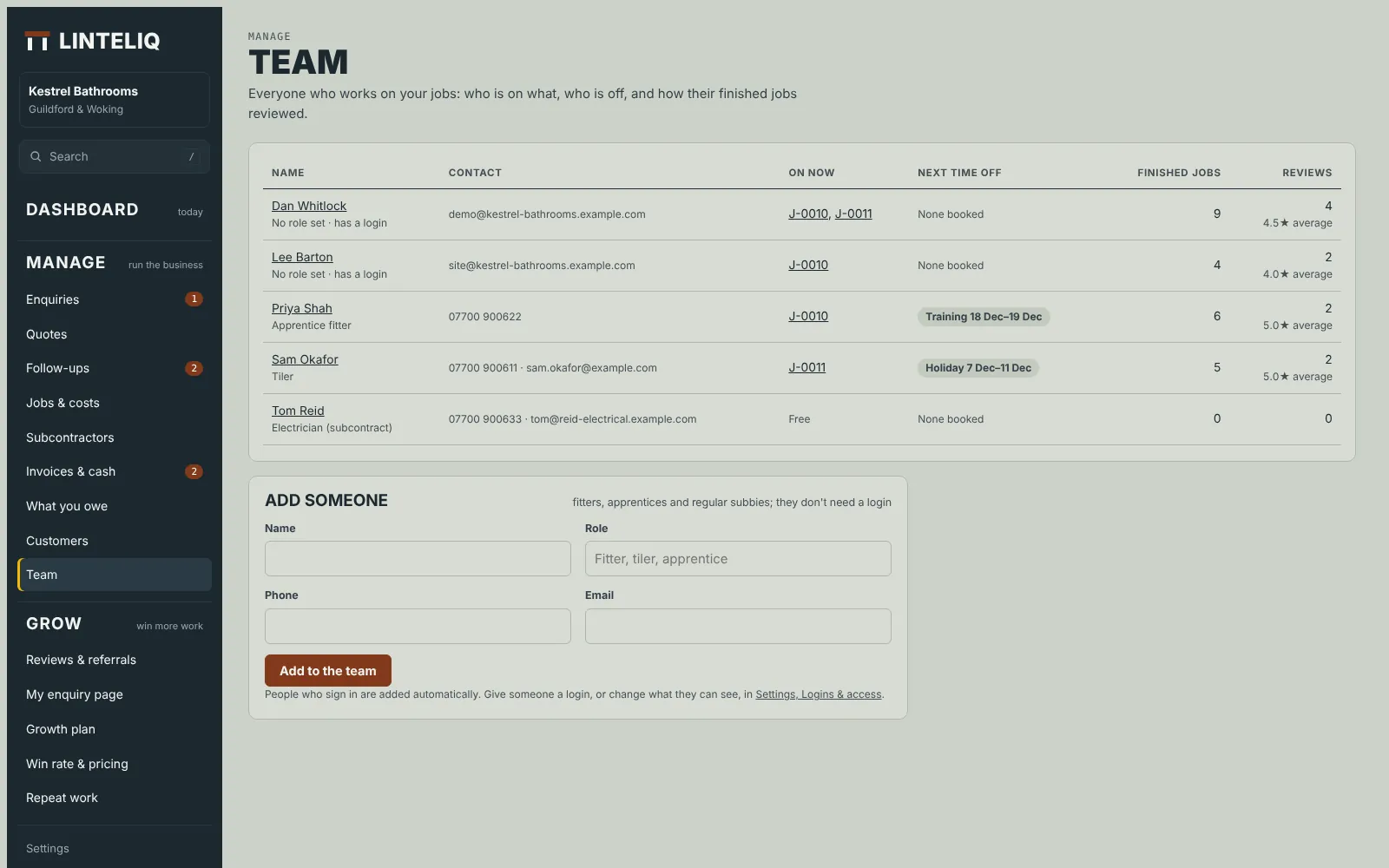
  • Team: who is on which job, time off and reviews
Add Grow: +£29 a month

Company Early access

£129 /month
Manage · up to 25 people, flat
  • All of Manage and Team, for up to 25
  • For design partners first: we build the rest with you
  • Priority phone support
  • Roles, approvals and a view across every project Coming next
Ask about early access
Add Grow: +£49 a month

Enterprise

More than 25 people

A price agreed for your firm: more than 25 users, several crews or branches, and help moving your records over. Talk to us directly.

Contact ushello@linteliq.com

Grow: win more of the right work

One optional add-on to Manage, at your firm's size. It's on in the Manage trial, so you can see the work it brings before you pay for it.

  • Review and referral requests sent for you
  • Your own enquiry page and tracking links
  • Win rate and pricing insights
  • Repeat work reminders
  • A weekly growth plan from your numbers
30-day free trial, no card Subcontractors free on job links No per-user pricing No % of your jobs No contract Export your data any time 2 months free on annual

What a 3-person firm pays per month

Monthly list price for a team of three that needs automatic quote chasing and job costing. On Linteliq both come with Manage Crew (£35). Competitors charge per user, or keep these features for their top plans.

Sources, checked 11 Oct 2026, list prices in GBP before tax: ServiceM8 pricing (job costing on Premium, £119); Powered Now pricing (auto quote chasing on Premium, £40 per user); Tradify on Capterra (Lite from £34 per user; follow-up reminders and costing are listed on its higher Pro plan, so the real cost is higher).

Free job profit calculator · no sign-up

Is this job actually making you money?

Put in a job the way you'd price it, in your own currency. Waste, subbies and a contingency are included so the margin you see is the real one. The figures below are an example; change any of them. Open the calculator on its own page.

Wages, or your own pay, plus van, fuel and insurance
Anyone you bring in, at what they charge you
Hidden pipework, rotten timber, bad ground
Job software for every trade

Set up for the work you do

Every trade prices differently. In Linteliq each kind of work you do is a job type, with the lines its quotes start with and the checklist its jobs follow. Add your own, or save any quote as a new one. Here's how it fits different trades.

Big jobs in stagesDeposit, stage and completion invoices made from the quote, with reminders when one goes overdue.
Extras agreed firstExtra work goes on the quote as an add-on the customer approves before you start it, then onto the final invoice.
Profit while it runsSpend logged against each budget line shows the forecast margin on every live job, not just at the end.

Linteliq for builders and roofers →

Register your interest · free, no commitment

Hear first, at the founding price

Linteliq opens in spring 2027. Register your interest and we'll tell you as soon as you can start, at the founding price. Every trade is welcome.

  • Founding price until 2029The first 100 firms to subscribe keep the launch price, even if our prices go up.
  • First to hearWe email you when Linteliq opens. Design partners start sooner, in the beta.
  • 30 days free when you startQuote real jobs before you pay anything. No card needed.
  1. Register nowOne form, about a minute.
  2. We email youSpring 2027, when Linteliq opens.
  3. Start free30-day trial, then the founding price.
Register your interestFields marked * are needed

With your country code if you're abroad
We'll never share your details or sell them.
Straight answers

Questions tradespeople ask

Which trades is it for?

Any trade that quotes for work, does the job and sends an invoice: builders and roofers, gardeners and landscapers, electricians and lighting installers, window and door fitters, plumbers, heating and air-conditioning engineers, bathroom and kitchen fitters, tilers, decorators and more. You set up your own job types, so quotes start from the way you price.

When can I start using it?

Linteliq opens country by country, and where you are it opens in spring 2027. Design partners start sooner, in the beta. Register your interest and we'll email you when you can start. You can try the live demo with example data today.

What does it cost to register my interest?

Nothing, and there's no commitment. We'll email you when Linteliq opens, and you decide then.

What is the founding price?

The prices on this page. If you're one of the first 100 firms to subscribe, you keep your price until 2029, even if our prices go up.

Which currency will I pay in?

Pounds, euros or US dollars, shown for where you are; you can change it above the plans. Euro and dollar prices are fixed and don't move with exchange rates. Your firm pays in the currency of the country it signs up from, before any local tax, and once you subscribe your price stays the same wherever you sign in.

Do you take a cut of my jobs?

No. You pay a flat monthly price and keep everything you charge for the job. We don't sell your leads either.

Is there a free plan?

No, but every firm starts with a 30-day free trial, with no card needed and every login your size includes. Try One, or Manage with Grow switched on. Quote real jobs in it. At the end, pick a plan or your account turns read-only; you can export your data any time.

I work on my own. Which plan is for me?

One, at £15 a month. It runs on your phone: every job is one card that moves from enquiry to priced, booked, done and paid. Customers pay from a link, you snap receipts onto each job, and Today shows what you've earned and what to put aside for tax. Anyone who helps you gets each job by text, with no login. If you take on staff who need their own login, move to Manage; everything you have done carries over.

Do I pay more when I take someone on?

Only when you move up a size. One is for a business you run yourself, with helpers on job links. Manage Crew covers up to 3 people with their own logins, Firm up to 10 and Company up to 25, each for one flat price, and Grow moves with it. There are no per-user fees, and subcontractors and helpers on job links are always free.

What is the difference between One, Manage and Grow?

One is for a business one person runs: every job from enquiry to paid on your phone, in a few taps. Manage runs the work for a team: enquiries, quotes with a margin check and follow-ups written for you, jobs with trades booked in stages, costs, invoices and what you owe, in the office view and on site. Grow wins you more of it: review and referral requests, your enquiry page, win rate and pricing insights, repeat work and a weekly growth plan. Manage is priced by the size of your team; Grow is an optional add-on to Manage at the same size. It is all one product: changing plan changes what you see, never what is stored.

Can my team see my prices?

Only if you let them. For each person you choose No access, View or Edit on each part of Linteliq: enquiries, quotes, jobs, invoices, Team on Firm and Company, and the two parts of Grow. Someone on site can have jobs only, and a bookkeeper invoices only. You always see everything. On One there is just your login: a helper only sees the job you send them, with no prices. Subcontractors on job links never see your prices either.

Do my subcontractors need a login?

No. Each trade you bring in gets their part of the job on a text link: the address, dates, notes and photos, never your prices. They confirm, log their days, add photos and send their invoice from it. Job links are free and never count towards your plan.

Will it send messages to my customers on its own?

Only the two you switch on: a polite payment reminder with the pay link at 3, 7 and 14 days late, and a text the evening before a trade arrives. Everything else, from follow-ups to review requests, Linteliq writes and you send from your own WhatsApp or email.

Is there an app for my phone?

Yes, and there's nothing to download. Linteliq works in your phone's browser and fits the screen. Add it to your home screen and it opens like any other app. Apps for the App Store and Google Play are planned after launch. Try it on your phone.

Does it do my accounts?

No. It keeps your quotes, jobs, invoices and receipts tidy, and you can export them for your accountant or tax software at any time. Syncing with Xero, QuickBooks and FreeAgent comes after launch.

I'm a sole trader. Does it help with Making Tax Digital?

From 6 April 2027, sole traders with income over £30,000 must keep digital records and send HMRC quarterly updates. One keeps every invoice and receipt digital as you go, and shows what to put aside for tax. Export them for your accountant or your MTD software at any time; direct sync with FreeAgent, Xero and QuickBooks follows after launch.

Can I move my records over?

Yes. Import your customers, your price list and your open jobs, with their costs to date, from a spreadsheet, including exports from other job software. Or run new jobs in Linteliq and finish older ones where they are.

What happens to my details?

We use them to tell you when Linteliq opens and, if you asked, about being a design partner. We don't sell them or pass them on for anyone else's marketing. The privacy notice has the detail.

Can I leave?

Yes, any time, and you can export all your customers, quotes and jobs to a spreadsheet first.

Price the next one properly

Register your interestBecome a design partner